Instagram impersonation report: the form, photo ID, and reporting blackmail
An Instagram impersonation report is filed on Instagram's official impersonation form, which covers Instagram and Threads and asks the impersonated person for a photo of their government ID. Blackmail and sextortion are crimes: report the account in-app, save evidence, never pay, and tell the police too.
Two very different problems land on this page. One is a fake profile wearing your face or your brand's name, which Instagram treats as an authenticity matter you settle with a form and an ID. The other is a threat — "send money or I post these" — which is a criminal act you report in the app and to the police at the same time. They share a starting move, which is collecting clean evidence, but the routes split fast. Get the route right and the rest is mechanical.
Which report fits your problem?
Each situation has one correct route, and using the wrong form is the usual reason a report stalls. Match your case to the row below, then jump to the section that walks it through.
| Your problem | Correct route / form | Who can file | Key evidence |
|---|---|---|---|
| Personal impersonation (your face or name) | Instagram impersonation form (covers Threads) | The impersonated person | Fake profile link + your government photo ID |
| Brand / business clone | Instagram trademark / IP report form | The brand or its authorised rep | Fake profile link + proof you own the name |
| Blackmail / extortion | In-app report (threats) + police | Anyone targeted or witnessing | Screenshots of the threats, @username, dates |
| Sextortion / intimate images | In-app report + StopNCII or Take It Down + police | The person in the image | The image hash (not the image), threat thread |
| Hacked account | instagram.com/hacked recovery flow | The account owner | Old email/phone, the "email changed" alert, a video selfie |
What exactly is an Instagram impersonation, and what isn't?
Impersonation means an account uses your name, photos, or likeness to pose as you and mislead people. That is what the form is for. A parody account that's labelled as parody, a fan page that never claims to be the celebrity, or a critic using your name to comment on you are not impersonation under Meta's rules, even when they annoy you. The test Instagram applies is deception, not flattery or insult.
Meta's authentic identity representation policy spells this out: accounts that misuse a real person's identity to trick others are removed, while clearly marked commentary stays up. Knowing which side your case sits on saves you a rejected report. If the fake has grabbed your handle rather than just your photos, reclaiming an inactive or taken username is a separate route, and a profile lifting your posts wholesale may also be a content-removal case on top of the impersonation one.
How do I file the Instagram impersonation report form, and why photo ID?
Use Instagram's dedicated Report an Impersonation Account form. It loads without you being logged in, asks who is being impersonated (you, someone you're responsible for, or a business), wants the link to the fake profile, and asks the impersonated person to upload a government-issued ID. That ID is the part people skip — it's how Instagram confirms you really are the person the clone is copying, and a report without it is far weaker.
The same form handles Threads, since a Threads account is tied to your Instagram login, so you don't hunt for a separate Threads route. If you're logged in and can see the fake, the quick path is the profile's three-dot menu: Report → Something about this account → They're pretending to be someone else. There is no shortcut form beyond the official one, and any site claiming a back door isn't Instagram.
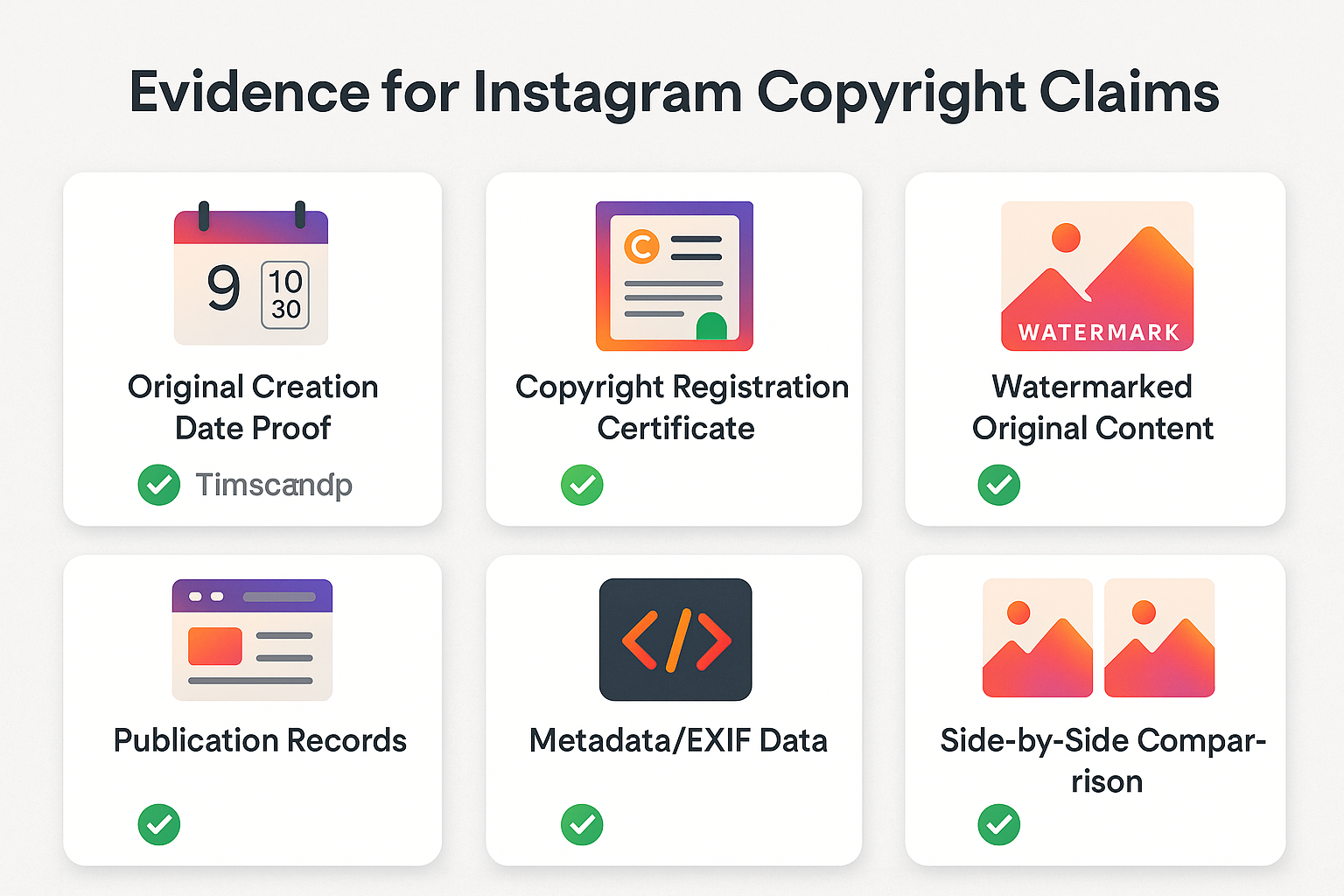
Before you open either form, build a single evidence pack you can reuse for Instagram and the police — assembling it after the fact wastes days:
- The fake account's profile URL and exact @username, copied as text, not just remembered.
- Side-by-side screenshots of the clone next to your real profile, showing the stolen photos or name.
- The full message thread with visible dates, if the fake has contacted you or your followers.
- Your government photo ID for a personal claim, or proof you own the name (trademark registration, company filing) for a business claim.
How do I report a cloned business or brand account?
A cloned business takes a different door from a cloned person. When a fake page copies your brand name, logo, or product photos, the route is not the personal photo-ID form — it's Instagram's trademark and intellectual-property report form, where you prove you own the name rather than prove your face. That's the legal basis Meta acts on for commercial impersonation, and it's why a business never uploads a manager's driving licence: the claim is about the mark, not a person.
Have your trademark registration number or company documents ready, name the exact posts or handle that infringe, and submit as the rights holder or an authorised representative. If the clone is also re-posting your photos or videos word for word, that doubles as a copyright case, so file both — the overlapping mechanics live in the trademark and copyright takedown routes. A personal photo-ID impersonation report on a brand clone usually gets bounced, which is why so many business reports stall on the first try.
What if Instagram won't remove the impersonation account?
A declined report is not the end — it usually means the evidence or the category was off, so re-file cleanly rather than spam-resubmitting. First, make sure the report is sent from the impersonated person's own account (or the brand's authorised rep), since Instagram weighs a first-party claim far more heavily than a bystander's. Attach a clearer, fully legible government photo ID, with the name and photo unobscured. Double-check you picked the impersonation category, not "spam" or "I don't like this," because the wrong bucket routes your report to the wrong queue. Give it a few days before assuming failure; authentic-identity reviews are not instant. If the fake still stands and is being used to threaten or defraud people, a parallel police report becomes real leverage — a documented crime reference and the same evidence pack escalate the case past the automated layer. Persistence with clean evidence beats volume every time.
How do I report blackmail on Instagram without making it worse?
Report the account in-app and stop replying — do not pay and do not delete anything yet. Open the chat or profile, tap the three dots, choose Report, and pick the reason that fits: a threat, harassment, or someone sharing or threatening to share private images. Instagram's own guidance on an Instagram blackmail report is direct: if someone threatens to release private material unless you pay, "report it and contact your local law enforcement" (Instagram Help Center).
Then lock the case down. Screenshot the threats, the @username, and the profile, because accounts get deleted and chats vanish. Keep your own messages and your account intact; that thread is what investigators read. Block only after you've reported and saved everything. Paying back rarely helps — the FBI's sextortion guidance states that "cooperating with the predator rarely stops the blackmail," and the material often gets shared anyway. The same logic applies whether it's one extortionist or a coordinated harassment pile-on, which the guide to reporting a stalker safely covers in more depth.
How do I report sextortion on Instagram and reach the right authorities?
To report sextortion on Instagram, flag the account in-app under threats or private-image sharing, then file with the cybercrime authority for your country — both, in parallel. Instagram can remove the account; only law enforcement can investigate the person or pursue your money. Sextortion has exploded recently: the National Center for Missing & Exploited Children received nearly 100 reports of financial sextortion every day across 2024 (NCMEC), and the CyberTipline's financial-sextortion reports had already more than doubled to 26,718 in 2023 from 10,731 the year before (Thorn / NCMEC data).
- United States: the FBI's Internet Crime Complaint Center (IC3), and for any victim under 18 the NCMEC CyberTipline (1-800-843-5678).
- United Kingdom: Action Fraud, plus the Revenge Porn Helpline for adults dealing with intimate-image abuse.
A platform report and a police report are not the same thing, and one doesn't replace the other. Bring the evidence pack you already saved to both. The full mechanics of escalating threats sit in the dedicated Instagram extortion reporting walkthrough, which pairs naturally with this page.
Can I remove intimate images with StopNCII or Take It Down?
Yes, and you can do it before the image is ever posted. Two free, Meta-partnered tools let you stop intimate images spreading without ever uploading the picture itself. On your own device the tool converts the image into a "hash" — a digital fingerprint — and only that hash leaves your phone, so participating platforms including Instagram can detect and block matching uploads while never seeing the original.
- If you were 18 or over in the image: create a case at StopNCII.org, which was built with Meta and lists Instagram, Facebook, and Threads among its partners.
- If you were under 18 in the image: use NCMEC's Take It Down service, which hashes the image the same way and shares fingerprints with Meta and other platforms.
- Run it alongside, not instead of, your report. Your in-app report removes the post in front of you now; the hash quietly guards against re-uploads everywhere else, which a single takedown can't do.
This is the part that frightened victims most often miss, so to "remove intimate images with StopNCII or Take It Down" you treat the hashing tool as the long-term shield and the report as the immediate clean-up. They work best together. There is now a federal backstop too: the TAKE IT DOWN Act, signed into US law on 28 April 2025, criminalises publishing non-consensual intimate images — including AI-generated ones — and obliges platforms to remove them, which is a separate thing from NCMEC's "Take It Down" tool that shares the name. Set your expectations honestly, though: StopNCII reports an over-90% removal rate and more than 300,000 images stopped, but only on participating partner platforms, not across the entire internet.
What do I do if my own Instagram account was hacked or hijacked?
If the threats are coming from inside your own hijacked account, recovery comes first. To report a hacked Instagram account, go to instagram.com/hacked, choose "my account was hacked," and reset the password. If the attacker changed your email, look for the "your email was changed" message from Instagram, which carries a one-tap revert link. Locked out entirely? Request account recovery and complete the video-selfie verification to prove the account is yours.
Two warnings spare people a second loss. Instagram never DMs you asking for your login code, ID, or a payment, so any "official" account doing that is the scammer. And no paid "recovery expert" can do more than the free official flow — those offers specifically hunt for people who post publicly that they've been hacked, so keep quiet about it. A hijacked account being used for fraud is also worth a police report, and the wider account reporting and recovery guide walks through what disable versus delete actually means.
The single biggest lock is two-factor authentication, and a 2026 breach proved it. Meta confirmed roughly 20,225 Instagram accounts were potentially taken over after attackers abused its AI-assisted "High Touch Support" recovery tool, which failed to verify that the person requesting a password reset actually owned the email on file — and it was specifically accounts without 2FA that fell (discovered 31 May, disclosed 8 June 2026, per SecurityWeek). Two-factor authentication would have blocked that exact exploit. Turn it on under Accounts Center → Password and security → Two-factor authentication, and pick an authenticator app over SMS, since text codes can be intercepted. While you're there, review your logged-in devices and revoke anything you don't recognise.
Does flooding the report button get an impersonator banned faster?
No. There's no number of reports that forces a ban, and stacking them can backfire. Instagram weighs whether the account genuinely breaks a rule, so a single accurate, well-evidenced impersonation report beats a hundred vague ones. Coordinated mass flagging is detected and discounted as manipulation, and a false pile-on can get the people doing it restricted instead of the target.
That's why automated "ban anyone" tools disappoint. A so-called mass report bot doesn't change the underlying decision, and many of them exist mainly to harvest the logins of the people who try them. The honest, effective path is a documented violation filed in the right category with proof attached — the same principle behind getting a genuinely rule-breaking account banned. Volume is the myth; evidence and the correct form are what move a case.
Official forms, hotlines and sources
Every route on this page traces to a primary source — Instagram's Help Center, Meta's policy and safety pages, and the authorities you'd escalate a real crime to:
- Instagram — the impersonation report form (Instagram & Threads), the trademark / IP form for brand clones, and its blackmail and threats guidance.
- Meta — the authentic identity representation policy.
- Intimate-image removal — StopNCII.org for adults and NCMEC's Take It Down for under-18s.
- Report a crime — IC3 (US), the NCMEC CyberTipline, and Action Fraud (UK).
Not sure whether your case is impersonation, blackmail, or a hijacked account? Tell us what's happening and we'll say honestly which official route fits, or carry an official-channel takedown through for you.
FAQ
Does the Instagram impersonation report form really need my photo ID?
Yes, for an impersonation claim about your own identity. Instagram asks the impersonated person to upload a government-issued ID so it can confirm you are who the fake account is copying. A business reporting a brand clone can instead show proof it owns the name. The ID is used to verify the claim, not published.
Can one form cover both my Instagram and my Threads impersonator?
Yes. The Instagram impersonation form explicitly handles Instagram and Threads, because a Threads profile runs on your Instagram login. Pick the platform where the fake lives, attach the matching profile link and your ID, and submit. If the same person clones you on both, file the surface where the active harm is happening.
Is reporting a blackmailer anonymous, or will they find out it was me?
An in-app blackmail or harassment report is anonymous; Instagram never tells the account who flagged it. The exception is a copyright or trademark notice, where your name and email are shared with the other side so they can respond. A police report is separate and follows its own process, not Instagram's.
How quickly will an Instagram impersonation report get the fake removed?
There is no fixed timeline. A clear impersonation with ID attached can be actioned within a day or two; a vague or miscategorised report waits longer or gets declined. Speed depends on how obvious the rule break is and how clean your evidence is, not on how many times you submit it.
What is the difference between StopNCII and Take It Down?
Both create a private hash of an intimate image so platforms can block re-uploads, and neither asks you to send the picture. StopNCII.org is for adults aged 18 and over. Take It Down, run by NCMEC, is for cases where the person in the image was under 18. Use the one that matches the age in the image.
Does StopNCII or Take It Down remove the image from the whole internet?
No. They block matching re-uploads only on participating partner platforms such as Instagram, Facebook and Threads, not everywhere online. StopNCII cites an over-90% removal rate across its partners, but a copy already posted on a non-partner site stays up. Pair the hash with in-app reports and a police report wherever the image has actually spread.
Should I delete the messages or my account to make the blackmail stop?
No. Deleting the chat or your account destroys the evidence police and Instagram need, and it does not stop the blackmailer. Screenshot the threats and the username first, stop replying, then report and block. Keep your account; report the account doing the harm instead. Paying or deleting almost never ends the threats.